GoShare Withdrawal Method
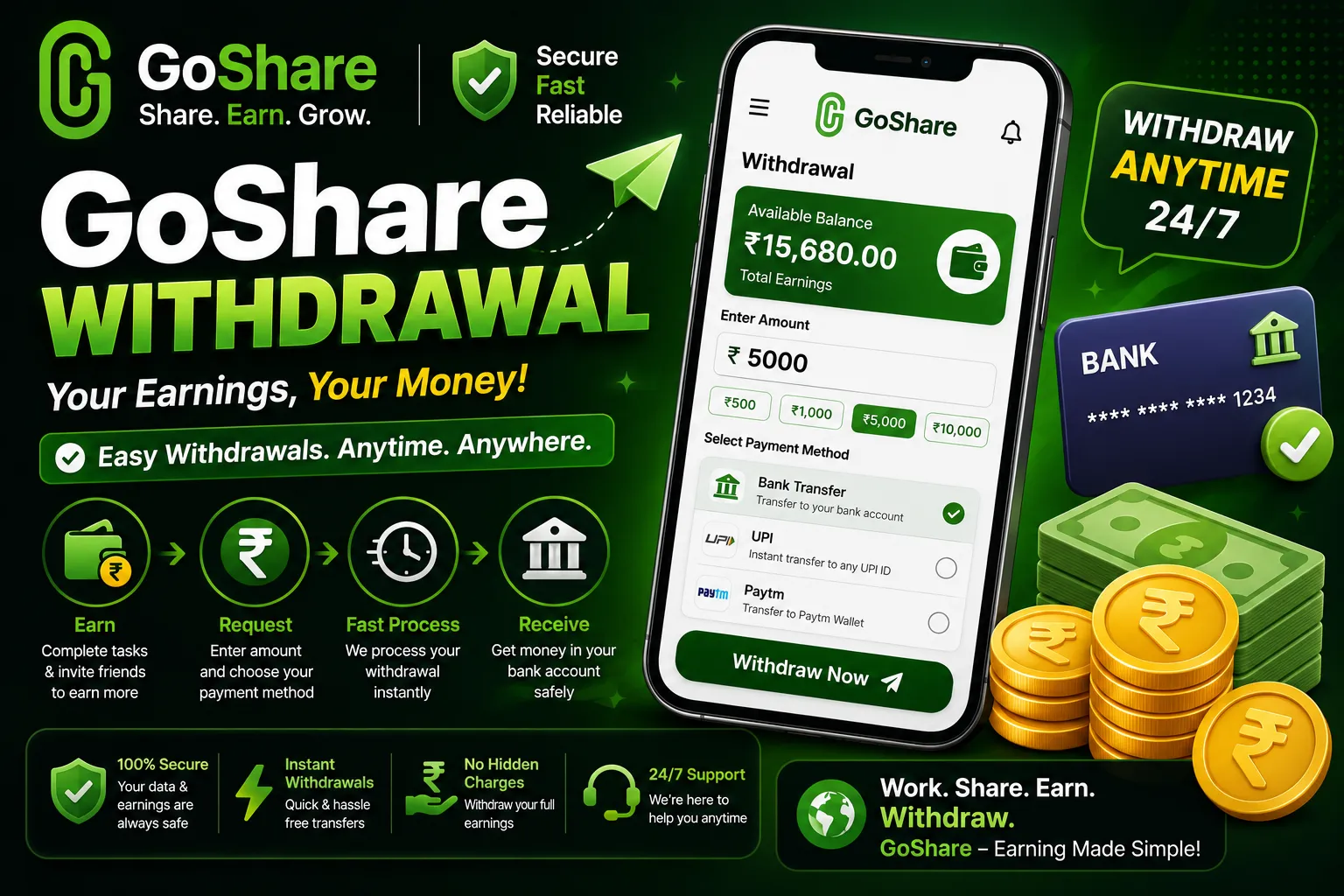
How to Withdraw Your Earnings
This complete guide covers every GoShare withdrawal method available in 2026 including bank transfer, UPI, and crypto wallet. Learn how to fill the GoShare withdrawal form, understand the GoShare withdrawal fee, track your GoShare payment status, and withdraw earnings on both Android and GoShare iPhone H5 version.
GoShare withdrawal is one of the most important features on the platform because it is how you actually receive the money you earn from WhatsApp link sharing, daily tasks, referrals, and Instagram earning activities. The good news is that the GoShare payout system is simple, fast, and completely free of charge on every available payment method. This guide explains the entire withdrawal process from start to finish so you know exactly what to do once your earning balance is ready to cash out.
Whether you are using GoShare on Android through the APK or accessing it through the GoShare H5 browser version on iPhone, the withdrawal process is identical. This page covers all three GoShare withdrawal methods, how to fill the GoShare withdrawal form correctly, GoShare tracking for your payment status, and answers to every common question about GoShare payment delays, fees, and withdrawal limits.
GoShare charges zero withdrawal fees on all payment methods.
There are no hidden charges, processing fees, or deductions applied to any GoShare withdrawal in 2026. Whether you withdraw ₹100 or ₹10,000, the full amount is credited to your chosen payment destination without any fee being subtracted by GoShare.
GoShare Withdrawal Methods Available in 2026
GoShare currently offers three GoShare withdrawal methods to suit users across India and internationally. Each method is available to all registered users and can be set up directly through the GoShare wallet section inside the app or H5 browser version. You can add multiple payment methods and choose which one to use for each individual withdrawal request.
Bank Account Transfer
Withdraw your GoShare earnings directly to any Indian bank account. Works with all major banks including SBI, HDFC, ICICI, Axis, and all cooperative and regional banks. Enter your account number and IFSC code in the GoShare withdrawal form.
UPI Payment
The fastest GoShare payment option for Indian users. Supported UPI apps include Google Pay, PhonePe, Paytm, BHIM, and any bank UPI ID. Withdrawals process within 2 to 6 hours directly to your linked UPI VPA address.
Crypto Wallet
International users and crypto-preferred users can withdraw GoShare earnings as USDT to any compatible crypto wallet address. Supports TRC20 and ERC20 network addresses. Ideal for users outside India or those preferring digital currency payouts.
How to Withdraw GoShare Earnings Step by Step
The GoShare withdrawal process takes less than two minutes once your balance reaches the minimum threshold of ₹100. Follow these steps exactly to submit your first withdrawal request and receive your GoShare payment without any issues.
Open GoShare and Log In to Your Account
Open the GoShare APK on your Android phone or visit goshares.app in your browser if you are on iPhone. Log in using your registered phone number or email and your password.
Open the GoShare Wallet Section
From your earning dashboard, tap the Wallet or My Earnings tab. Your total available balance, pending earnings from referrals, and task income are all displayed here separately.
Tap the Withdraw or Cash Out Button
Tap the Withdraw or Cash Out button on the wallet screen. This opens the GoShare withdrawal form where you select your payment method and enter your payment details.
Fill the GoShare Withdrawal Form
Select your preferred GoShare withdrawal method from the options: Bank Account, UPI, or Crypto Wallet. Enter your bank account number and IFSC code, your UPI ID or VPA, or your crypto wallet address depending on which method you choose. Double check every digit before proceeding.
Enter the Amount You Want to Withdraw
Type the amount you want to withdraw. The minimum GoShare withdrawal is ₹100. Your available balance shown in the wallet must be equal to or higher than the amount you enter. You cannot withdraw more than your current available balance in a single request.
Confirm and Submit Your Withdrawal Request
Tap Confirm or Submit to send your withdrawal request. GoShare will ask you to verify the request via OTP or password confirmation in some cases. Complete this verification to finalise the submission.
Track Your GoShare Withdrawal Status
Go to the Withdrawal History or Transaction History section in your GoShare wallet to track the status of your payment. Each request shows a real-time GoShare tracking status as Pending, Processing, or Completed.
How to Track GoShare Payment and Withdrawal Status
GoShare tracking lets you monitor your payout in real time directly inside the app or H5 browser version. Every withdrawal request you submit gets its own transaction record with a timestamp and live status that updates as your GoShare payment moves through the processing stages.
Your withdrawal request has been received by GoShare. This status appears immediately after you submit and usually moves to Processing within 30 minutes during business hours.
GoShare has verified your withdrawal request and is actively sending the payment to your chosen method. UPI and crypto withdrawals in Processing status typically complete within 2 to 4 hours.
Your GoShare payment has been sent successfully. For UPI, check your payment app for the credit. For bank transfer, check your SMS alerts. For crypto, check your wallet address on the blockchain explorer.
To access GoShare tracking, open the GoShare wallet, scroll to Withdrawal History or Transaction Log, and tap any individual transaction to see full details including the payment method used, the amount sent, and the exact processing timestamp. If a withdrawal shows Pending for more than 12 hours, contact GoShare support through the official Telegram channel with your transaction ID ready.
GoShare iPhone Withdrawal – How It Works on iOS
GoShare does not have an official iOS app on the Apple App Store, but GoShare iPhone users can access the full platform including earning features and the withdrawal system through the H5 GoShare browser version. The H5 platform is a fully functional web application that works in Safari, Chrome, or any browser on your iPhone without any installation needed.
- Open Safari or Chrome on your iPhone and go to goshares.app
- Tap Register or Login on the GoShare H5 home screen
- Log in with your existing GoShare account credentials
- Navigate to Wallet to check your earning balance
- Tap Withdraw, fill the GoShare withdrawal form, and submit
- Add goshares.app to your iPhone home screen for quick daily access
GoShare iPhone users have access to all the same earning features as Android users. You can share your earning link from iPhone WhatsApp, complete daily tasks, refer friends, and withdraw your GoShare earnings to UPI, bank account, or crypto wallet through the H5 interface without any limitations compared to the Android APK.
GoShare Instagram Earning – How to Earn Through Instagram
GoShare Instagram earning is one of the most powerful ways to grow your referral income beyond WhatsApp groups. Instagram gives you access to a much wider audience through your profile bio, stories, reels, and posts, all of which can drive consistent daily clicks and registrations to your GoShare referral link and earn you more money than WhatsApp alone.
How GoShare Instagram Earning Works
Your GoShare referral link is unique to your account. When someone clicks your link on Instagram and then registers on GoShare using your code, you receive a referral commission of ₹460 credited to your wallet instantly. This applies whether the click came from WhatsApp, Instagram, Facebook, YouTube, or any other platform where you share your link.
- Instagram Bio Link – Add your GoShare earning link directly in your profile bio for 24/7 passive clicks from all your followers and profile visitors
- Instagram Stories – Post a story with your GoShare referral code and add the link sticker. Stories with earning proof screenshots get very high engagement
- Instagram Reels – Create a short video showing your GoShare payment proof or earnings screenshot and direct viewers to your bio link to register
- Instagram Posts Captions – Share payment screenshots as posts and add your referral code 74024726 in the caption with a call to action
- Instagram DMs – Send your GoShare referral link directly to friends and family in private messages for targeted registrations
Users who actively promote their GoShare referral link on Instagram report earning between ₹2,000 and ₹15,000 extra per month purely from Instagram-driven registrations on top of their regular WhatsApp link sharing income. The key is posting GoShare payment proof screenshots regularly to build trust and encourage followers to join under your referral code.
What Earnings Can You Withdraw from GoShare
Your GoShare wallet balance that you can withdraw comes from multiple income streams available on the platform. Understanding each one helps you maximize the amount available for withdrawal every day and grow your GoShare payment total month by month.
Per 100 clicks on your GoShare link
Per click from Instagram stories, bio, and reels
Each friend who registers using your referral code
Video views, surveys, app download tasks
Maintained by logging in every single day
All income from these sources accumulates in your GoShare wallet as available balance. You can submit a GoShare withdrawal request as soon as your balance hits ₹100 and repeat as many times as needed throughout the month. There is no maximum daily withdrawal limit stated on the platform, meaning you can cash out your full available balance in a single request.
GoShare Withdrawal Tips to Get Paid Faster and Avoid Issues
Following these steps right after submitting your first GoShare withdrawal request will help you avoid common payment delays and ensure your GoShare payment arrives without complications.
- Always double check your UPI ID, bank account number, and IFSC code before confirming the GoShare withdrawal form
- Make your first withdrawal as soon as you hit ₹100 to verify that your payment method is correctly set up
- Use UPI as your primary GoShare withdrawal method for the fastest 2 to 6 hour processing time
- Check GoShare tracking in your Withdrawal History section before contacting support for any delays
- Submit withdrawal requests during business hours for fastest processing; late night submissions may push to the next business day
- Keep your GoShare account active by completing daily tasks to maintain your earning streak and maximize daily balance
- Share your GoShare payment proof screenshots on Instagram stories to drive more referral registrations and grow your income
- Join the GoShare Telegram channel for payment update announcements and direct support for stuck withdrawals
Warning: Never share your GoShare account password, OTP, or banking details with anyone including people claiming to be GoShare support staff. All legitimate GoShare support happens through the official Telegram channel only. GoShare will never ask for your bank PIN or wallet password to process a withdrawal.
If you are already earning on GoShare, also sign up on WaIND, a brand new WhatsApp earning app that launched in 2026 and is giving huge bonuses to early registrations. WaIND is fully web based, works on both Android and iPhone with no download required, and offers instant withdrawal just like GoShare. Register now to claim your WaIND launch bonus before early bird rewards expire.
🆕 Register on WaIND and Claim Launch BonusGoShare Withdrawal FAQs
Answers to the most common questions about GoShare withdrawal fee, form, processing time, iPhone support, Instagram earning, and payment tracking.
The GoShare withdrawal fee is zero. GoShare does not charge any fee on any withdrawal method including bank transfer, UPI payment, or crypto wallet. There are no processing charges, transaction fees, or deductions of any kind. The full amount you request is sent directly to your chosen payment destination without any cuts.
Open GoShare and go to your Wallet section. Tap Withdraw or Cash Out to open the GoShare withdrawal form. Select your withdrawal method (bank, UPI, or crypto), enter your bank account number and IFSC code, your UPI ID, or your crypto wallet address depending on the method chosen. Enter the withdrawal amount (minimum Rs 100) and tap Confirm to submit the form.
GoShare payment via UPI and crypto wallet typically processes within 2 to 6 hours of submitting a withdrawal request. Bank account transfers may take up to 24 hours depending on your bank’s processing schedule. You can monitor the real-time status of your GoShare payment through the Withdrawal History or Tracking section in your GoShare wallet at any time.
Yes. GoShare iPhone support is available through the H5 browser version accessible at goshares.app in Safari or Chrome on iOS. iPhone users can earn from WhatsApp link sharing, complete daily tasks, refer friends, earn from Instagram, and submit full GoShare withdrawal requests through the H5 platform. There is no dedicated GoShare iOS app on the App Store but the H5 version provides identical functionality to the Android APK.
GoShare Instagram earning works by sharing your unique GoShare referral link in your Instagram profile bio, stories, reels, and post captions. Every person who clicks your link and registers on GoShare using your referral code earns you a commission credited instantly to your GoShare wallet. Sharing payment proof screenshots on Instagram stories is the most effective way to drive registrations and grow your referral income beyond what WhatsApp alone provides.
The minimum GoShare withdrawal is Rs 100. Your available wallet balance must be at least Rs 100 to submit a GoShare withdrawal request. There is no stated maximum withdrawal limit, so you can cash out your full available balance in one request once it exceeds Rs 100.
To use GoShare tracking, open your wallet section and go to Withdrawal History or Transaction Log. Each withdrawal entry shows its status as Pending, Processing, or Completed, along with the payment method used, amount requested, and timestamp. For UPI withdrawals you can also confirm receipt directly in your UPI app. If a withdrawal stays in Pending status for more than 12 hours, contact GoShare support on the official Telegram channel with your transaction ID.
For the fastest GoShare payment, use UPI as your withdrawal method linked to Google Pay, PhonePe, or Paytm. UPI withdrawals from GoShare process within 2 to 6 hours and are credited instantly once the transfer completes. Bank account transfers are the slowest option at up to 24 hours, while crypto wallet withdrawals match UPI speeds for international users at 2 to 6 hours.
Withdraw Your GoShare Earnings Today
Zero withdrawal fee. Minimum ₹100. Paid within 2 to 6 hours via UPI. Register now with referral code 74024726 and start earning your first withdrawal amount today on Android or iPhone.